
|
|
Install Windows From Windows CD |
|
Before we start installing
windows we need to know a little details in advance.
|
|
Make sure the BIOS
Antivirus is disabled.
|
|
First reset the machine
and enter the BIOS by pressing DEL on the keyboard ( On some machines
we will have to press F2 to enter the BIOS ). Once inside the bios search
for Antivirus or Write Protect option and Disable it ( use common sense
here as diffrent types of BIOS have different layout ). If the built
in ANTIVIRUS is not DISABLED in the BIOS it wont allow windows to be
installed on the machine.Further no error message will be shown to guide
you.
|
|
Get the Serial Number
of the windows version you plan to install and write it down on a paper.
|
|
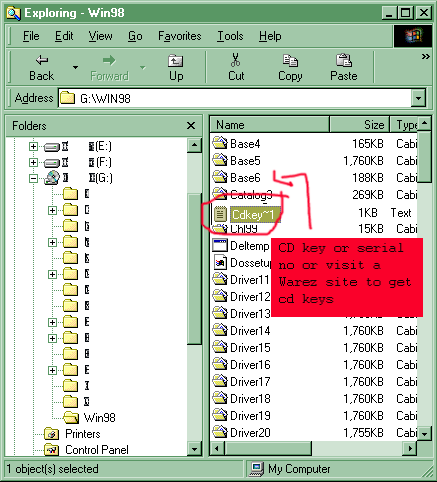
Show below is the directory
in which windows setup is available on the CD ROM. In the below example
G
is the CD drive letter but it can be any letter
from D to Z depending
upon the number of partitions on your hard disk. The CD Drive letter
is usually the last drive letter. So if you have 3 partion on your harddisk
, the partion drive letters will be C,
D & E then F
will be your CD Drive letter. The example shown below has 4 partions
so G is the
CD Drive letter.
|
|
If you are having a
pirated versition of Windows then look for a test file named CDKEY,
SERIAL OR NUMBER( use common sense ). Open this file and write down
the serial number. Or check for the serial number on the CD or CD cover.
In the case of legal versions the seral number is printed on the certificate
that comes along with the Windows CD.
|
|
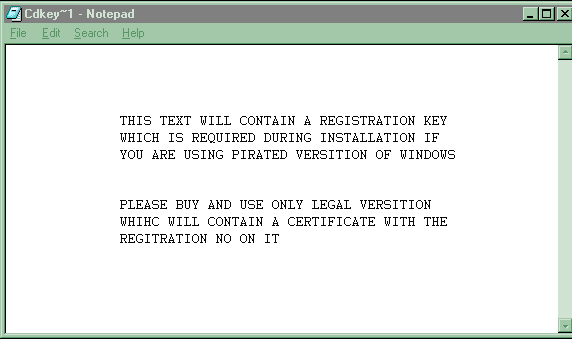
All the numbers shown
in the picture of the above text file may or may not work with your
version of windows.
|
|
Follow the steps shown
below to start windows installation on your computer.
|

|
Now all you got to
do is use common sense and go on clciking next till you reach end of
installation. The rest of the instructions will be provided during the
installation process by windows itself. Wishing you all the best. Try
Try and keep on trying till you finally install it all by yourself.
|
|
|